
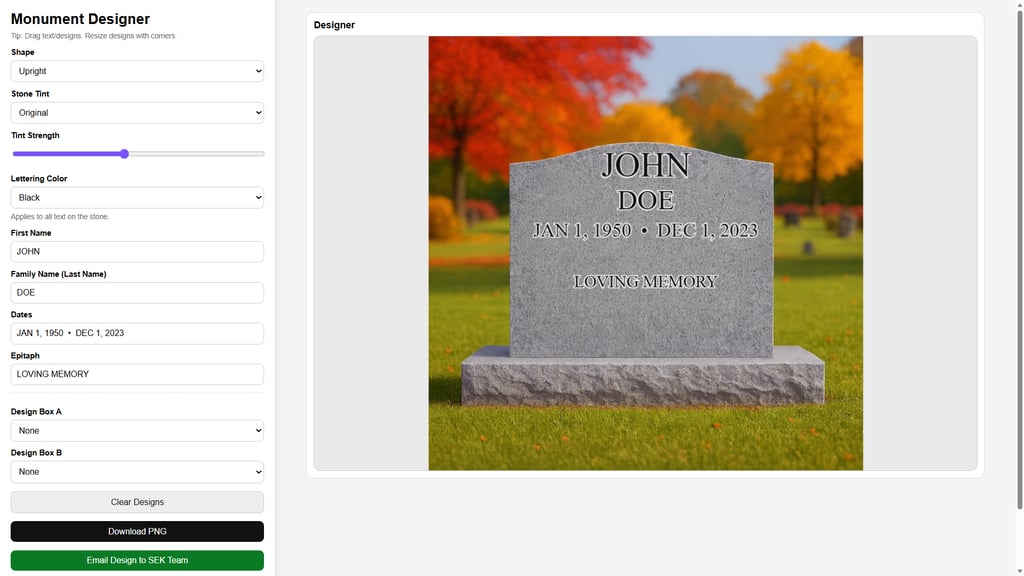
Monument Designer Is Still in Beta and will be updated with more features in the future.
This designer is currently for basic stone design options and for example purpose only...
To use the designer-
Click Launch Designer
Once in Designer Select stone type.
Select Stone Color (Tint) Adjust tint all the way to strongest setting
Select the Lettering Color
Change the Names and Dates ( For Double stone you may only use one famliley name if you wish just make the second one blank.)
Add in designs if wanted.
Adjust the sizes of designs and tettering.
Once you are happy with the stone click email to SEK TEAM.
After the window open fill out the file and attach the JPG that is automatically downloaded.
Send email and any details you may like to add.